
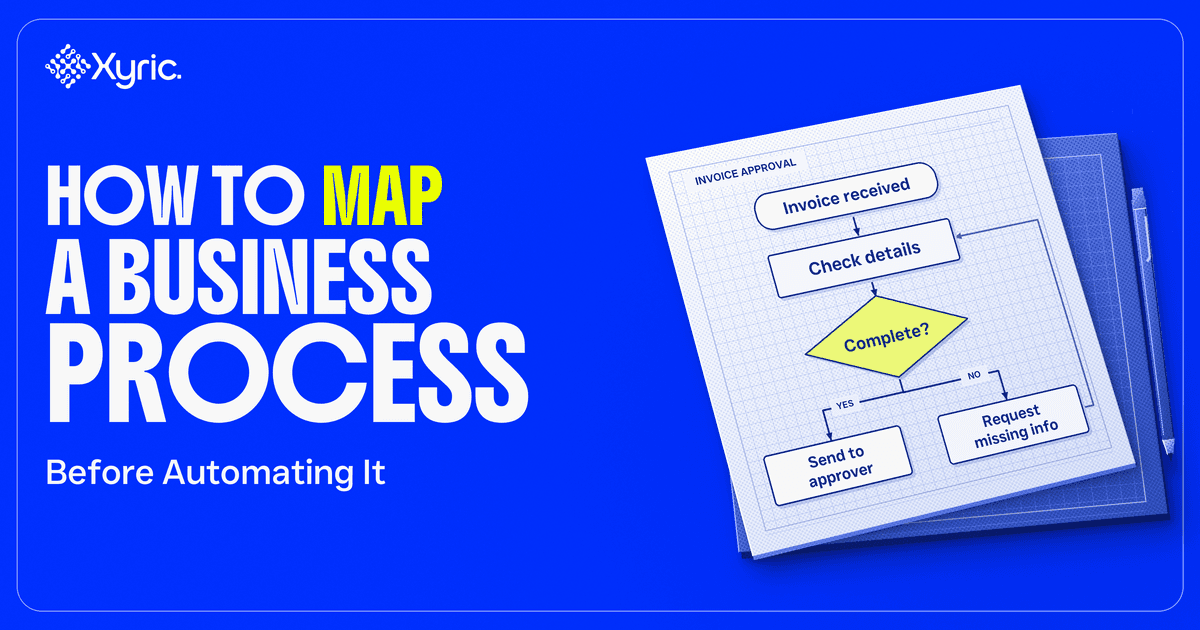
Automation makes the current process move faster. If that process contains unclear ownership, duplicate entry, and hidden exceptions, the confusion moves faster too. Ask three employees how invoice sign-off works and you may hear three answers. The written procedure says invoices go to finance. In practice, some arrive by email, some through chat, and urgent ones go directly to a manager. Status lives in a spreadsheet that only one person updates. Building automation from the procedure would automate a process that does not exist.
Quick answer: Map a business process by following real cases from trigger to outcome. Record each step, system, handoff, wait, choice, exception, owner, and data input. Add baseline measures and failure points. Only then design a future workflow and decide which parts should use rules, AI, or people.
Choose one process with a clear boundary
Do not begin with “automate finance” or “fix customer service.” Pick one outcome with a clear start and finish. Examples:
- From invoice received to sign-off recorded
- From website inquiry to named sales owner
- From support request to fix or handoff
- From monthly close to approved control report
- From new hire sign-off to account access completed The boundary keeps the map helpful. Large processes can be divided after the first pass reveals their natural stages.
Map the real current state
Interview the people who perform the work and inspect real cases. Ask them to share the screen, files, messages, and workarounds they use. For each case, record:
- Trigger
- Needed facts
- Step performed
- Person or system responsible
- Tool used
- Choice made
- Output created
- Next owner
- Time spent working
- Time spent waiting Waiting often matters more than active handling. A five-minute task can take three days because it sits between owners.
Show handoffs and queues
A handoff occurs when responsibility or information moves from one person or system to another. Each handoff can create delay, loss of context, duplicate entry, or unclear ownership. Mark:
- Shared inboxes
- Personal spreadsheets
- Manual exports
- Copy-and-paste steps
- Status requests
- Sign-off queues
- File attachments
- Messages that replace formal records The map should make invisible coordination clear.
Capture decisions separately from actions
An action changes or moves something. A choice chooses what should happen. “Send to manager” is an action. “Decide whether this exception is acceptable” is a choice. Separating the two helps the team decide where automation fits. Rules can handle stable conditions. AI may interpret variable text or files. People should remain responsible where context, policy, or risk needs judgment.
Document exceptions, not only the happy path
The normal path looks clean. Production work is shaped by exceptions. Ask:
- What information is often missing?
- Which cases need another sign-off?
- What causes people to leave the system?
- What happens when two records conflict?
- Which urgent cases skip the queue?
- How does the team recover from a failed step?
- Who handles work that does not fit a category? An exception should have an owner and a route. “A person will check it” is not enough.
Add data and system details
For each key field, record:
- Source
- Owner
- Format
- Needed or optional status
- Permitted use
- Validation rule
- Destination
- System of record This prevents the future workflow from creating another copy of the same information with no rule about which source is authoritative.
Measure the current process
Helpful baseline measures may include:
- Total completion time
- Active handling time
- Queue time
- Number of handoffs
- Missing-facts rate
- Rework or correction rate
- Exceptions by type
- Unresolved cases
- Customer follow-up requests Microsoft's process mining and task mining overview explains how event logs and recorded user actions can reveal actual paths, variations, bottlenecks, and automation opportunities. Small teams can apply the same principle with sampled cases when dedicated mining tools are not justified.
Design the future state after the diagnosis
Use the current-state map to remove waste before adding technology. For each step, ask:
- Can it be removed?
- Can the facts be captured correctly earlier?
- Can owner be clarified?
- Can a stable rule handle it?
- Does AI add a clear ability?
- Does a person need to decide?
- How will a failure recover? The future-state map should include the manual fallback, monitoring, and system of record.
An illustrative invoice example
Current state: Invoices arrive through email. Finance copies details into a sheet. Managers approve through chat. Missing purchase orders create email chains. Status questions interrupt the team. Future state: A controlled intake captures the invoice. Rules validate needed fields and supplier records. File extraction prepares the details. The system routes the request to the correct approver and records status. Mismatches and exceptions move to finance with the original file and reason for review. This case claims no result. The map would need real timing and error data before a pilot.
Six facts each process map needs
- The process needs a clear start.
- The process needs one owner.
- The process needs known inputs.
- The process needs clear rules.
- The process needs paths for edge cases.
- The process needs a final result.
Add wait time and rework too. They often show where the real cost sits.
Frequently asked questions
How detailed should a process map be?
Detailed enough to reveal triggers, owner, choices, handoffs, waits, systems, data, exceptions, and outcomes. Avoid documenting each click unless task-level detail is needed for a clear automation.
Who should join a process-mapping session?
Include people who perform the work, own the outcome, manage useful systems, know the data, and handle exceptions. Leaders alone may know the intended process but not the real one.
Should a team map the future process first?
No. Know the current state and its evidence first. Otherwise, the future map may solve an imagined problem.
Can process mining replace interviews?
No. Logs can show paths and timing, while interviews explain context, workarounds, policy, and choices. Use both where real. Book a discovery call to map one process from trigger to outcome before choosing the automation. Service connection: Xyric Optimize Case to examine: How Bank CenterCredit changed reporting from weeks to hours
Sources
- Overview of process mining and task mining, Microsoft Learn, accessed 2026-10-15.
- Recommendations for implementing automation, Microsoft Learn, updated 2026-04-08.